Jira timesheets your team keeps up with.
Fill in a weekly timesheet or log time right on Jira issues, route it through multi-stage approvals, manage time off, and turn it into capacity and compliance reports you can export to CSV, Excel, or PDF.
 Timesheets · Platform Team
Jira logs time. It doesn't manage it.
Jira stores worklogs on each issue, but it has no timesheet: no weekly view per person, no submit and approve step, and no way to lock hours before they reach payroll or an invoice. Timesheets for Jira adds that layer on top of Jira's own worklogs.
Scattered logging
Worklogs get added from memory days later, scattered across issues with no weekly view.
Approval chaos
Sign-off happens over Slack and email. No record of who approved what, or when.
Capacity blind spots
You find out a team is over or under capacity only after the sprint is already gone.
Try the real interface.
This is the Timesheets interface running on demo data. Switch tabs, open a filter, log time. Every state below is what your team sees in Jira.
Timesheets · Platform Team
Demo data · read-only
Best viewed on desktop
The live demo runs the real Jira interface, which needs a wider screen. Open it on desktop, or browse the feature screenshots below.
Open demo anywayLog time where the work already happens.
Track hours directly on a Jira issue, fill in a weekly grid, or drag tasks onto a calendar. Every worklog flows straight into Jira's native time fields.
- Log on the issue. A Work log panel right inside the issue view.
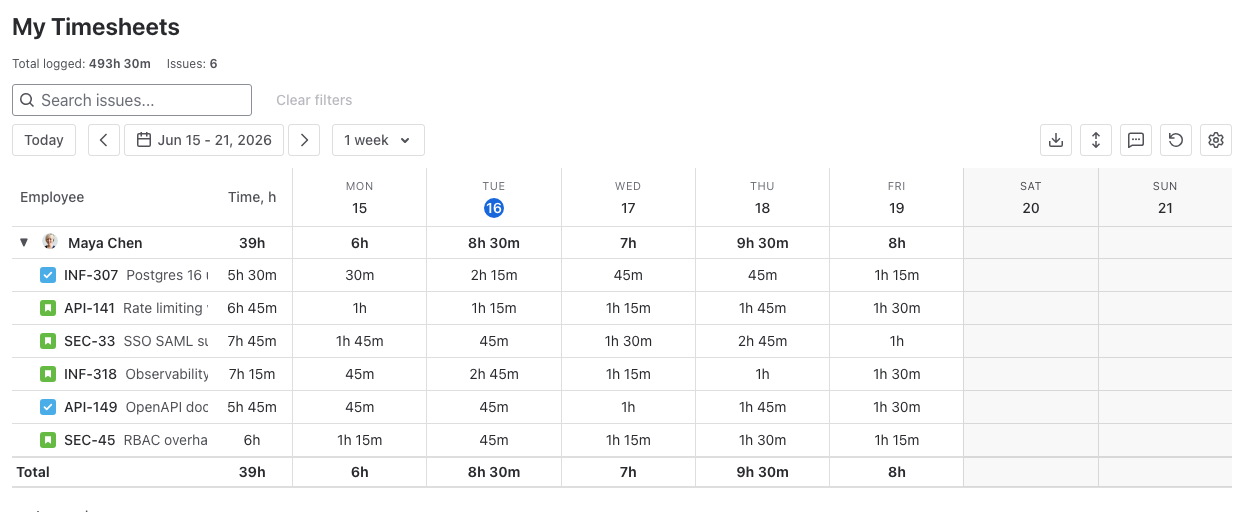
- Weekly timesheet with per-issue rows, daily cells and running totals.
- Calendar view. Drag backlog items onto your week to plan and log.
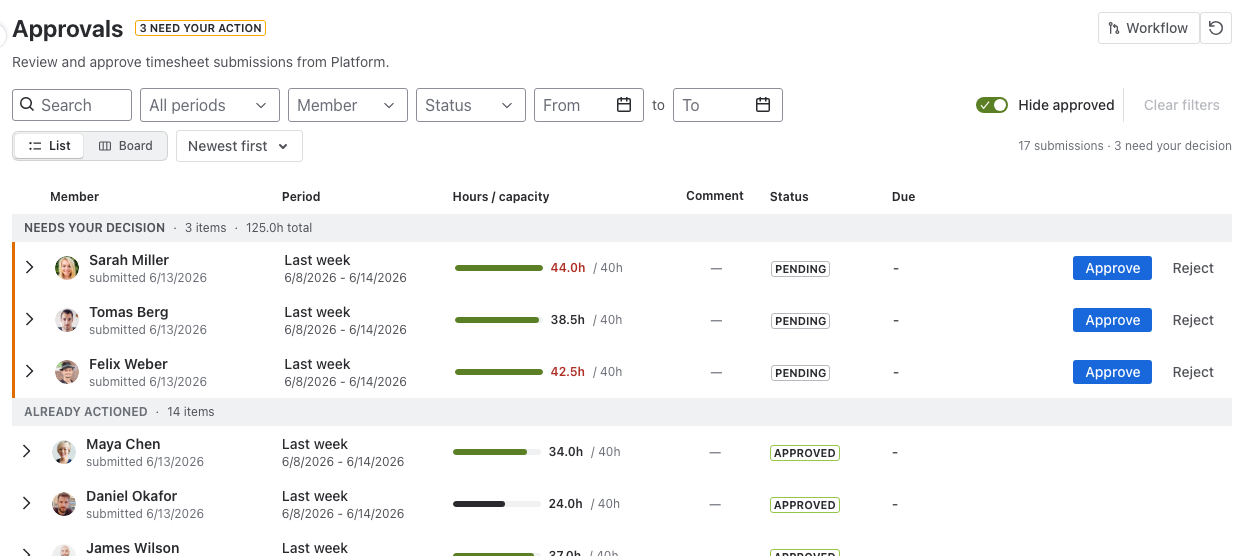
Approval workflows that match how you actually sign off.
Build sequential stages or parallel approvers, by role or by person, with any/all rules. Every submission carries a full, auditable history.
- Sequential and parallel stages: any-can-approve or all-must-approve.
- By role or person: route to team lead, PMO or named approvers.
- Drill-down detail: weekly breakdown, projects and top issues per submission.
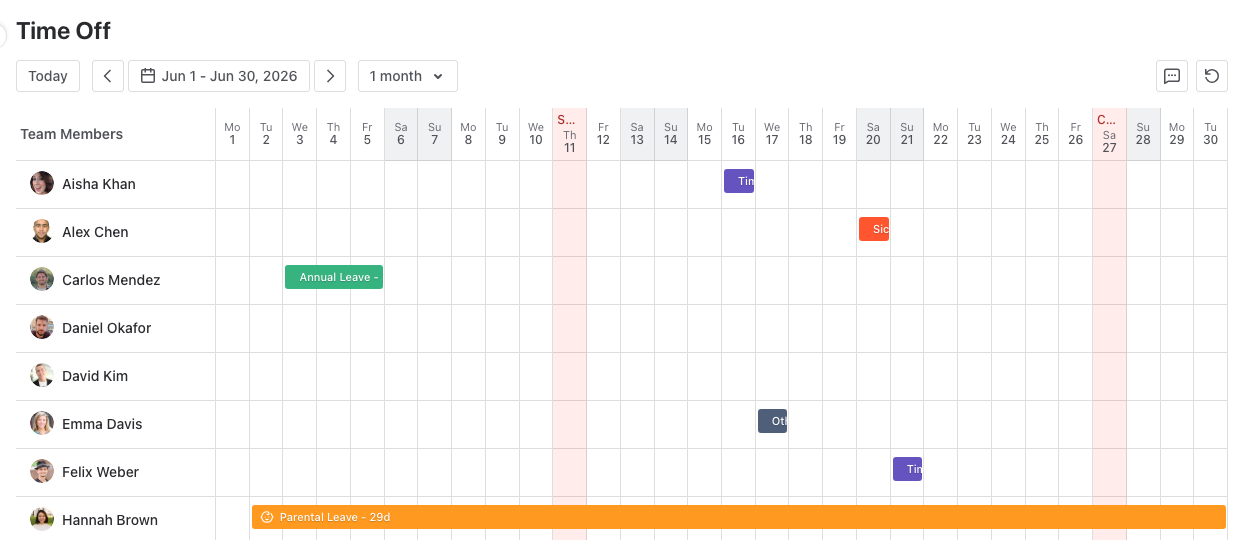
Absences on the same calendar as the work.
A month grid shows who's out at a glance. Members request leave; the hours they're off are accounted for automatically in capacity.
- Team month grid for vacation, sick and custom absence types per person.
- Leave requests: submit, review and track, with a clear status trail.
- Capacity-aware: time off reduces expected hours, so reports stay honest.
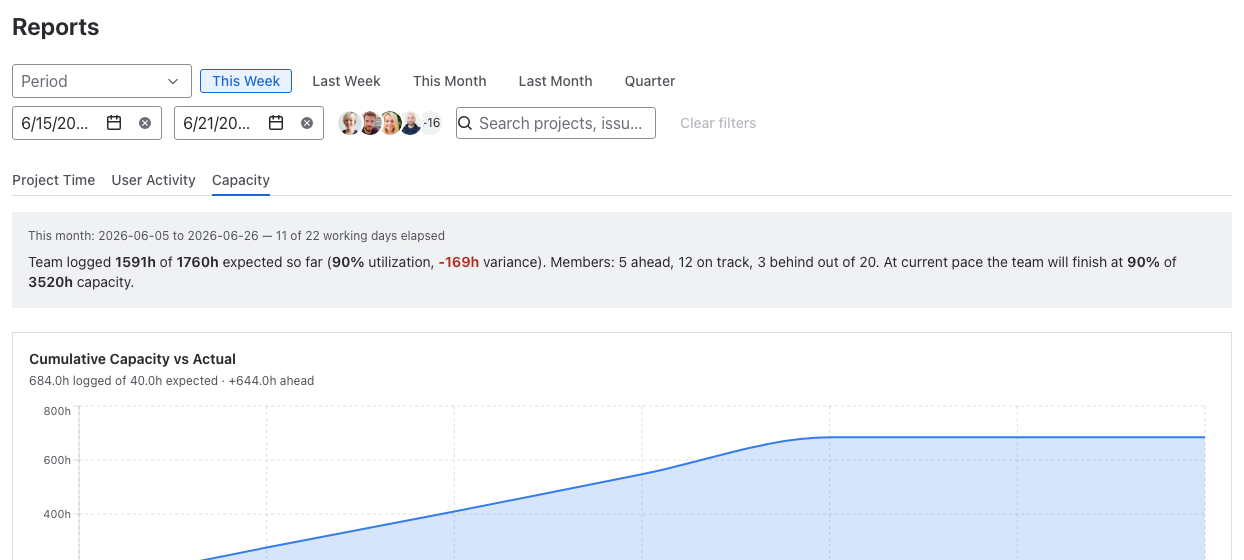
Know where the hours went, and where they're going.
Capacity vs. actuals, time by project, and per-user activity. Export to CSV, XLS or PDF for finance and clients without leaving Jira.
- Capacity report: utilization, variance and forecast.
- Time by project & user activity breakdowns.
- Export to CSV / XLS / PDF / iCal for billing and compliance.
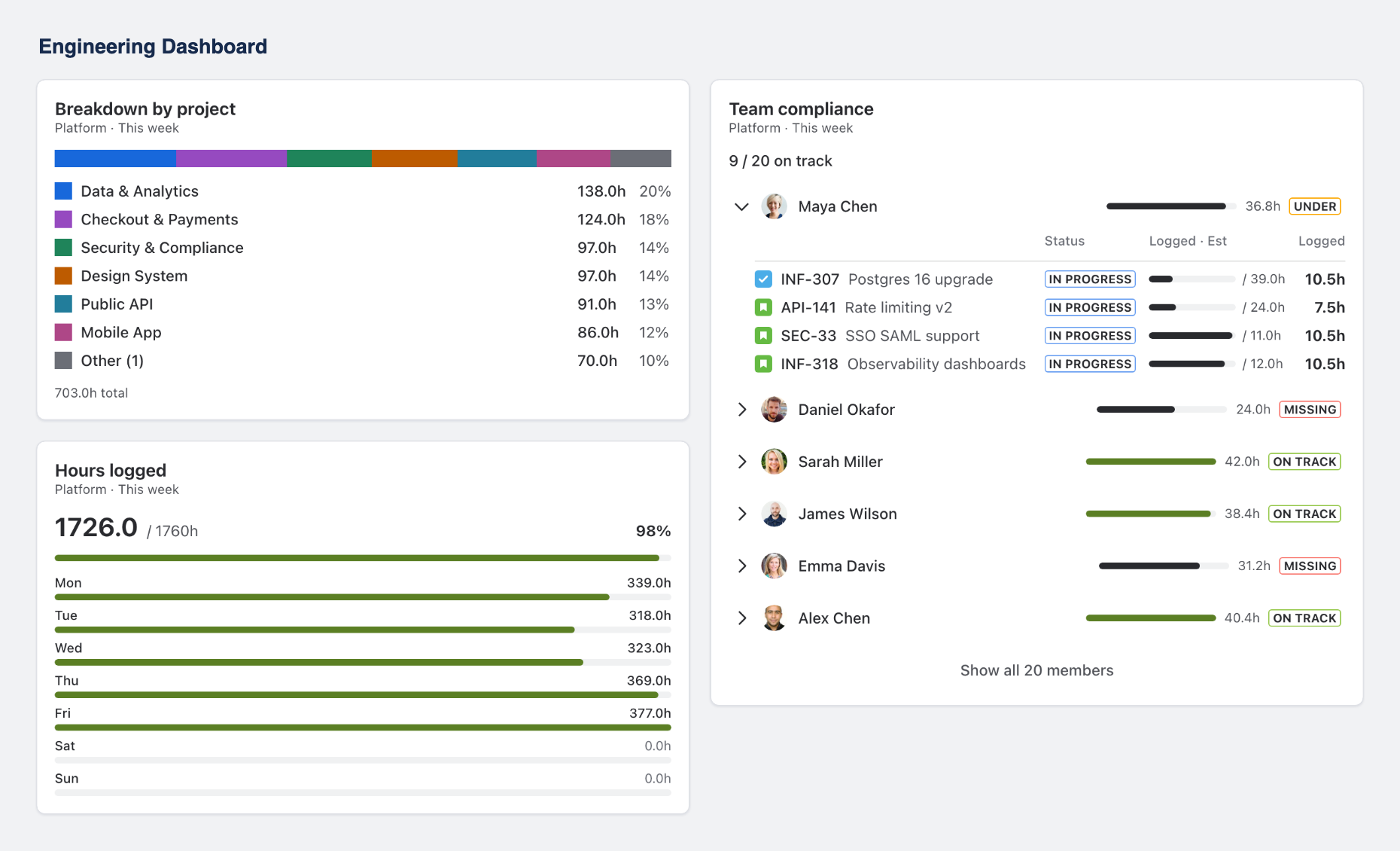
Put the numbers on a Jira dashboard.
Native Jira dashboard gadgets show hours, projects and compliance. No extra login, no context switch.
- Breakdown by project: where the week's hours landed.
- Hours logged against expected capacity.
- Team compliance: who's on track, under or missing.
Up and running in three steps.
Install from Marketplace
One click from the Atlassian Marketplace. Runs on Forge inside your own Jira, nothing to host.
~2 minutes, no credit cardPick a team
Choose the team, set a working schedule and a planning period. Invite members or sync from Jira.
Backend Team · 40h / weekLog your first hours
Log time on an issue or the weekly grid, submit for approval, and watch capacity update live.
TIM-69 · 2h loggedFree while in early access.
Every feature, every team size, no charge. Install from the Marketplace and use it in production today.
No per-user fee, no seat limit. We'll give clear notice well before any paid tier is introduced.
- Time tracking, weekly grid and calendar
- Approval workflows and audit trail
- Time off, reports and dashboard gadgets
- CSV / XLS / PDF / iCal export
- Unlimited users and teams
Jira timesheet guides for admins.
What native Jira can do on its own, where it stops, and how to set up the rest.
Jira worklog reports
The Time Tracking report, JQL worklog queries, CSV export and the REST API, and the point where you need an app.
Read the guideTimesheet approvals in Jira
What a working approval process needs, how far native Jira gets you, and a step by step setup for multi-stage approvals.
Read the guideTempo on Forge: what breaks
JQL filters, report bookmarks, automations and user access after Tempo Timesheets moves to Forge, with a pre-migration checklist.
Read the guideWho worked on what each day · Export a Jira timesheet to Excel · Multi-stage timesheet approvals · Jira timesheet apps compared · All articles
Questions, answered.
Stop chasing timesheets on Friday.
Install Timesheets for Jira and give your team a native way to track, approve and report time.