
Jira Worklog Reports: Native Options and Their Limits
How to get a Jira worklog report by user and date with the Time Tracking report, JQL, CSV export or the REST API, and the point where you need an app.
Your finance lead asks for hours per person for July, split by project. Jira has recorded every one of those hours: each is a worklog on some issue, with an author, a date and a duration. Then you go looking for the report and find that no screen in Jira shows worklogs by person and period.
This is not a gap in your configuration. It is how Jira is built, and Atlassian says so in its own knowledge base: "there is no existing native way to achieve this using JQL or Dashboard Gadgets". This guide walks the four native paths (built-in report, JQL, export, REST API), shows the exact point where each one stops, and explains what to look for when you decide you need an app. All facts checked on Jira Cloud on August 19, 2026.
Where Jira stores worklogs
A worklog is a small record attached to an issue: who logged, when they started, how long they worked, an optional comment. The issue itself carries only the aggregates, the Time Spent and Remaining Estimate fields that worklogs update.
Everything below follows from one design decision: Jira treats the issue as the unit of search and reporting, and worklogs as details inside it. Search returns issues. Export exports issues. Reports summarize issues. A worklog report asks a different kind of question, about people and dates across many issues. The rest of this article is what happens when those two shapes meet.
The native Time Tracking report
Company-managed projects have a Time Tracking report under Reports. It compares original and current estimates for the issues in one fix version and tells you whether that version is ahead of or behind schedule.
Two things to know before you go looking for it. It is scoped to a fix version: no versions in the project, no report, and if an admin has hidden the Fix Version field it fails with "no issues associated with the version" (Atlassian KB). And it reads estimates, not worklog history: there is no breakdown by person, no date range, no way to cross project boundaries.
Use it for release planning. For "who logged what in July" it has no answer at all.
JQL and worklogs: the trap everyone hits
JQL has two worklog fields, and they look like exactly what you need:
worklogAuthor = "Maria Kim" AND worklogDate >= startOfMonth()
This query is useful, and it is also where most people lose an hour. It returns every issue where Maria logged time this month. But JQL filters issues, not worklogs. Each issue in the result shows its total Time Spent: all authors, all dates, since the beginning of the issue. If Maria logged 2h on an issue where the team logged 40h, the row says 40h. Sum the column and you get a number that means nothing for payroll.
| Issue | Time Spentwhat the result shows | Maria's shareshown nowhere in Jira |
|---|---|---|
| CHK-212 Apple Pay support | 40h | 2h |
| INF-307 Postgres 16 upgrade | 9h | 3h 30m |
| API-141 Rate limiting v2 | 7h 30m | 3h 30m |
| Sum of the column | 56h 30m | 9h |
There is no way to fix this from inside JQL, which is why Atlassian's answer to "calculate work logged by a specific user across issues" is a Python script, not a query. One more quirk to budget for: worklogDate evaluates dates in a way that can match work logged on the neighboring day when the logger's time zone differs from the site's.
JQL is still the right tool for one job here: building the list of issues that had activity in a period. Just never read the time column as an answer.
Exporting to CSV or Excel
From issue search, ••• > Export offers "Excel CSV - visible fields" and "Excel CSV - all fields" (Atlassian docs): the issue export comes as CSV that Excel opens. The same submenu also lists plain CSV, XML, HTML and Word exports, and an item labelled "XLSX - form data". The CSV has one row per issue, the same shape as the search results. Time Spent is the total logged directly on the issue, and Σ Time Spent adds its sub-tasks (Atlassian KB). Neither splits by person or date.
The all-fields export does carry the worklogs, in a shape you cannot report from. Each worklog becomes a Log Work column holding one text string: the comment, a date, a user identifier and the seconds logged. Every row gets as many Log Work columns as the busiest issue has worklogs. The date is also the wrong one. It is when the worklog was submitted, not the day the work was logged for, so time logged for August 29 but entered on September 2 lands in September (JRACLOUD-77926, still open). Turning that into the author-date-duration rows a billing or payroll spreadsheet is made of means splitting strings, unpivoting columns and living with dates that cross month boundaries.
More on this in exporting a Jira timesheet to Excel.
| A | B | C | D | |
|---|---|---|---|---|
| 1 | Issue key | Summary | Time Spent | Assignee |
| 2 | CHK-212 | Apple Pay support | 144000 | Tom Silva |
| 3 | INF-307 | Postgres 16 upgrade | 32400 | Maria Kim |
| 4 | API-141 | Rate limiting v2 | 27000 | Jonas Weber |
| · | No row per worklog. Time Spent arrives as seconds, one total per issue. Only the all-fields export adds Log Work columns, one text string per worklog. | |||
In practice this is where the monthly ritual comes from: someone opens issues one by one, reads the Work log tab, and re-types numbers into a spreadsheet. It works, at the cost of an afternoon per month and no way to tell whether a number was mistyped.
What about dashboard gadgets?
Atlassian's KB quote above rules out gadgets alongside JQL, and it is worth seeing why, because a dashboard full of gadgets looks like a reporting tool. The gadgets that touch time all inherit the issue-shaped view of the world. Filter Results shows issue rows with the same aggregate Time Spent column you saw in search. Pie Chart and Two Dimensional Filter Statistics can slice a filter by assignee, which is not the same person as the worklog author: the assignee is whoever holds the issue now, not necessarily who logged the hours. None of them can group by worklog author or restrict the summed time to a date range.
A dashboard is still useful as a monitor: "which issues had activity this week" from a saved worklogDate filter is a perfectly good gadget. It tells you where work happened. It cannot tell you how much of it each person did, and stacking more gadgets does not change that.
The REST API route
The data is all there, and the API will give it to you. GET /rest/api/3/issue/{key}/worklog returns the full worklog list for one issue (API reference). The recipe, and it is exactly what Atlassian's KB script does: run a JQL search to shortlist issues, loop over them, pull each worklog list, filter by author and date, sum.
$ python worklog_report.py --author "Maria Kim" --month july
  JQL search: worklogAuthor AND worklogDate ..... 3 issues
  GET /rest/api/3/issue/CHK-212/worklog ......... 17 entries
  GET /rest/api/3/issue/INF-307/worklog ......... 12 entries
  GET /rest/api/3/issue/API-141/worklog .........  9 entries
  filter: author == Maria Kim, started in July
  Maria Kim, July: 9h 0m
  warning: totals only, nobody built the table finance asked for
An honest cost estimate before you commit an engineer to it: you need an API token, a place to run the script, pagination handling, and someone who maintains it when a field changes. Only the people who can run scripts can get the numbers, and the output is a total, not a table a manager can open on Monday. As a one-off audit tool it is fine. As the way your company produces timesheets every month, it is a part-time job nobody signed up for.
Four questions native Jira cannot answer
Hours per person per day, for a month
No screen and no query returns this; Atlassian's KB says so directly.
REST script, or an appBillable vs non-billable hours
Worklogs have no attribute field to mark an entry billable.
On our roadmap: tell us your caseAn approved timesheet for payroll
No approval or locking exists for worklogs anywhere in Jira.
An app with submit-and-approveLogged hours against capacity
Nothing in Jira's time reporting knows a person's working hours or schedule.
An app with schedules and capacityIf none of these four is your question, stop here: native Jira plus a saved JQL filter may be all you need, and that is the cheapest good answer.
When an app makes sense, and what to look for
If you are producing worklog reports on a schedule, for finance, for clients or for compliance, the native paths above all end at the same wall, and the Marketplace is the standard way through it (we compared six Jira timesheet apps on exactly these points). Whichever app you evaluate, check it against the wall you just hit:
- Worklog-level reports. Person by day (what that grid looks like), person by project, with drilldown to the entries. This is the core, and the reason you left native Jira.
- Export that carries the same rows. If the report is right but the export flattens it back to issue totals, finance is back to re-typing.
- Approvals, if money depends on the numbers. Reviewed timesheets with an immutable record of what was approved are what auditors and payroll actually consume.
- Permissions. Who may see other people's hours is an HR question before it is a Jira question.
- Where the data lives. Apps built on Atlassian Forge store worklog data inside Atlassian's infrastructure; apps on the older Connect platform may host it on their own servers. Ask, because your security team will.
Our own Timesheets for Jira (Time Tracking & Approvals) is built around the first four of those checks (reports, matching exports, approvals, permissions) as one flow: a User Activity report answers the hours-per-person question, exports carry the same worklog-level rows in CSV, Excel, PDF or iCal, a multi-stage approval flow stores an immutable snapshot of every approved submission, and role-based permissions with project-level redaction control who sees whose hours. It runs on Forge, and it is currently free for any team size.
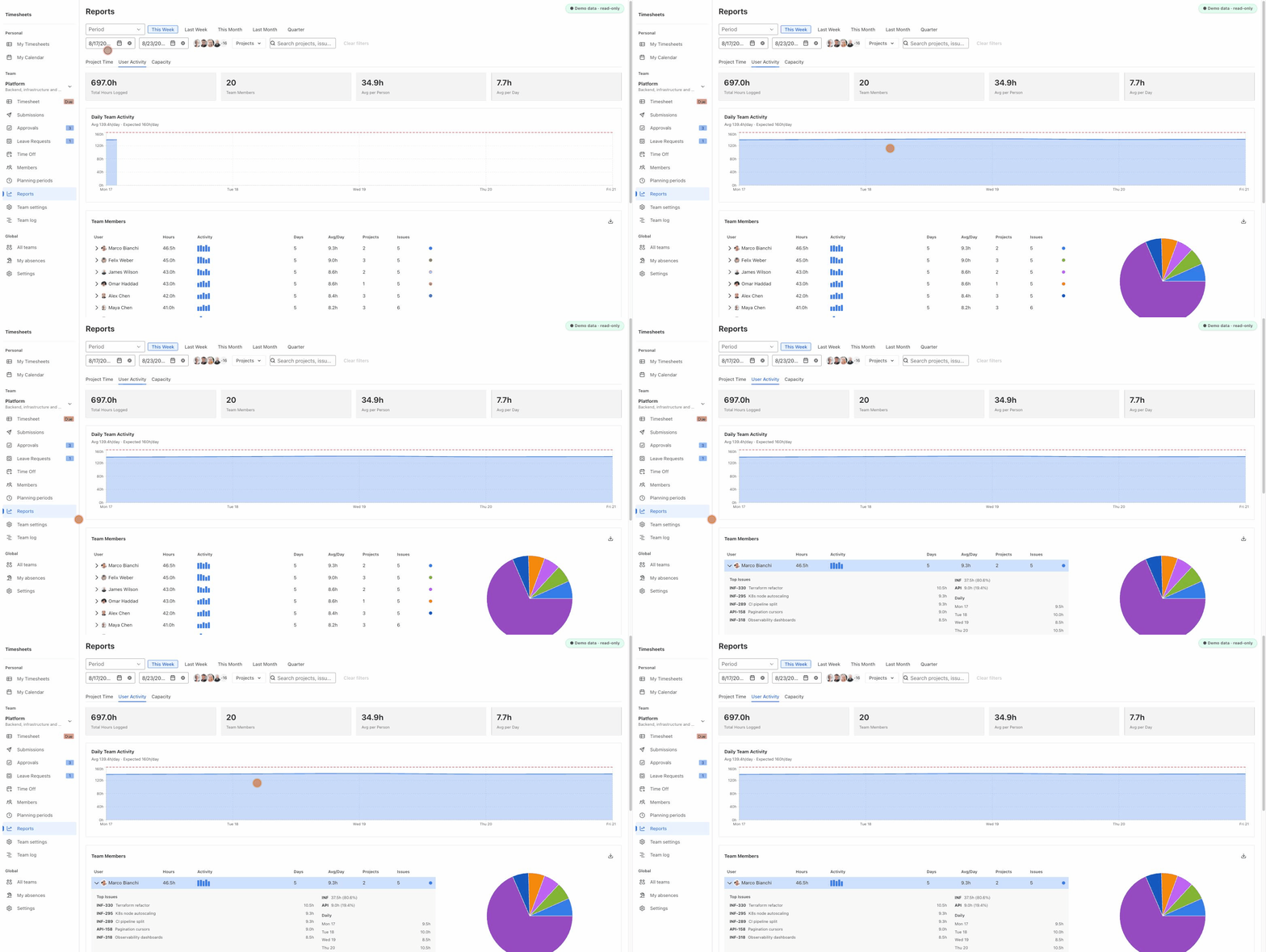
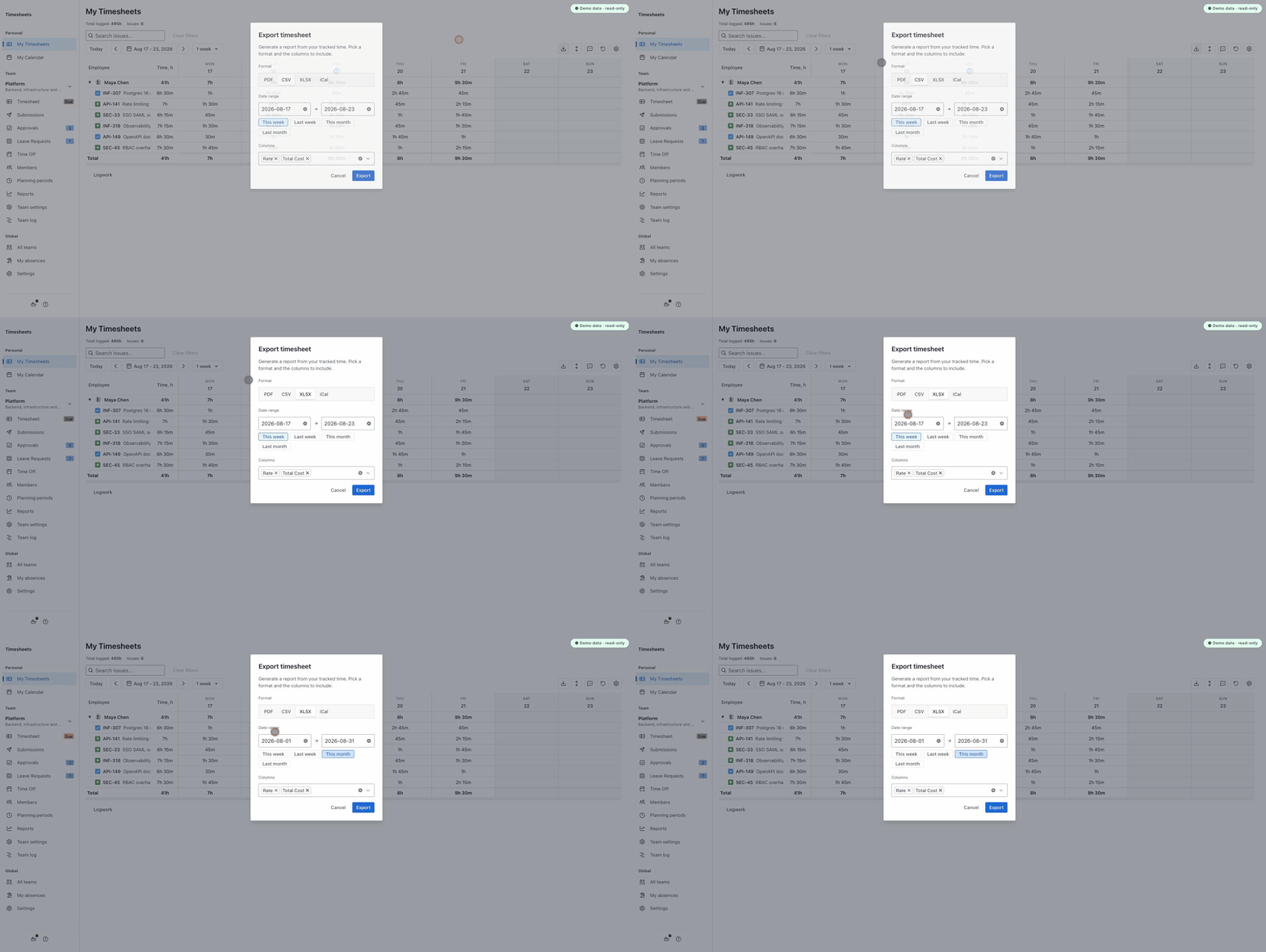
Two honest limitations. Reports are organized around teams: you create a team, add members, and reports cover that team, so an ad-hoc report across arbitrary users needs that setup step first. And while exports already carry rate and total-cost columns, there is no billable flag on individual worklogs yet, and no pivot-style reports built on it. Both are on our roadmap; if your case needs them, write to info@codecove.ai and tell us what the report should look like. It directly shapes what we build next.
Before you decide
Run one experiment: take last month, pick one person, and try to produce their hours from native Jira, using the query above shifted one month back:
worklogAuthor = "Maria Kim" AND worklogDate >= startOfMonth(-1) AND worklogDate < startOfMonth()
If the number you get matches what they actually worked, your issues are simple enough that native Jira plus discipline may carry you. If it does not match, you have just reproduced the trap from this article on your own data, and you know exactly which wall you need an app to get through.
Related: Jira worklogs by user and day: who worked on what, Team Reports not working? Keep your Jira worklog report.
Facts and links checked on August 19, 2026, against Jira Cloud and Atlassian's public documentation.