
Team Reports or Automated Log Work Stopped Loading? How to Get Your Jira Worklog Report Back
Gebsun's Team Reports and Automated Log Work stopped loading on 29 September. Check that your hours are still in Jira and get a worklog report back today.
Since 29 September, the Team Reports page in Jira shows an error instead of your team's hours, or the Automated Log Work Report Gadget on your dashboard never finishes loading. Both apps come from Gebsun, and no fix is coming. The hours your team logged are most likely still in Jira as ordinary worklogs. You can check that in one minute and have a per-person, per-day Jira worklog report back today.
What happened on 29 September
Three Gebsun apps are affected:
- Team Reports is the Jira page of Team Worklog Reports Lite, a free app with 3,943 installs at the end of 2024 (archived Marketplace listing).
- Automated Log Work for Jira was a paid app with 1,753 installs in January 2025 (archived listing). The Automated Log Work Report Gadget loads from its server.
- Team Worklog Reports was the paid version of Team Reports.
On 29 September a Jira user reported that Team Reports failed for every user in his company (Community thread). The next day another user traced the gadget failure to an expired security certificate on Gebsun's server, alw-2.gebsun.com (Community thread). The certificate expired at 23:59:59 GMT on 28 September. We checked it again on 8 October, and it was still expired. Since 5 October the paid Team Worklog Reports page answers with "Something went wrong on our end" (Community thread).
An Atlassian staff member answered in the Team Reports thread that Gebsun "was formally delisted and removed from the Atlassian Marketplace due to persistent lack of customer support and violations of the partner agreement", and that customers should "explore alternative options" (Community thread). All three apps now carry the banner "This app has been archived" (Lite, Automated Log Work, Team Worklog Reports), and Gebsun's vendor page says "There are no active apps by this partner" (vendor page).
The apps left the Marketplace in spring 2025: they were on Gebsun's vendor page on 17 March 2025 and gone by 24 April 2025 (March snapshot, April snapshot). Installed copies kept running on many sites, although the paid apps already failed in August and September 2025 with Jira's "requested API has been removed" error (thread 1, thread 2).
Check that your hours are still in Jira
Team Reports Lite only read worklogs. Gebsun's own documentation said "Work Log is not available for Team Work Log Reports Lite version" (archived Gebsun doc). Automated Log Work wrote into Jira: its listing said "Tracked time is saved to Jira Worklog" (archived listing). So your team's hours are, in all likelihood, native Jira worklogs that no app owns.
Check it in one minute:
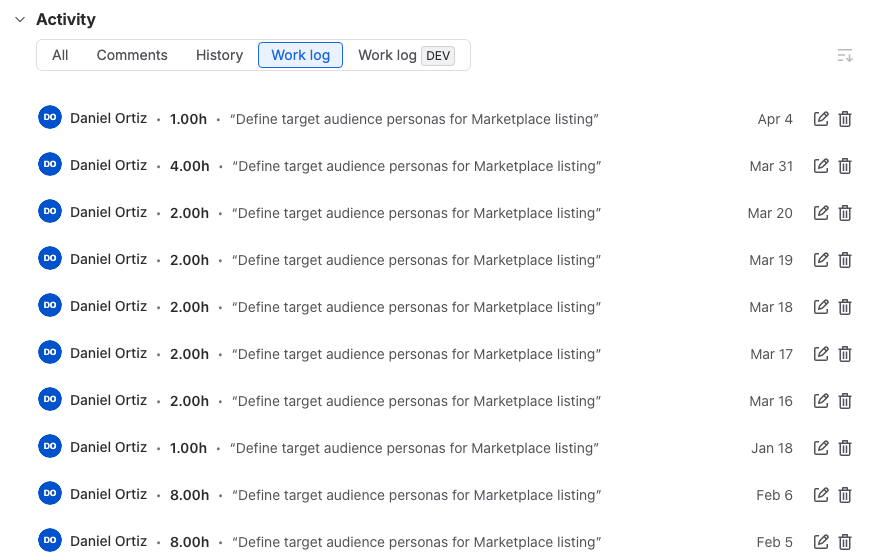
- Open an issue your team logged time on last month.
- In the Activity section, switch to Work log.
- Look for entries with a person, a date and a duration.
If they are there, nothing is lost, and any tool that reads Jira worklogs can report on them. If you script, GET /rest/api/3/issue/{key}/worklog returns the same entries (Jira REST API docs). If the Work log tab is empty on an issue you know had time on it, that time never reached Jira, and no Jira report can show it.
Get your report back today with Timesheets for Jira
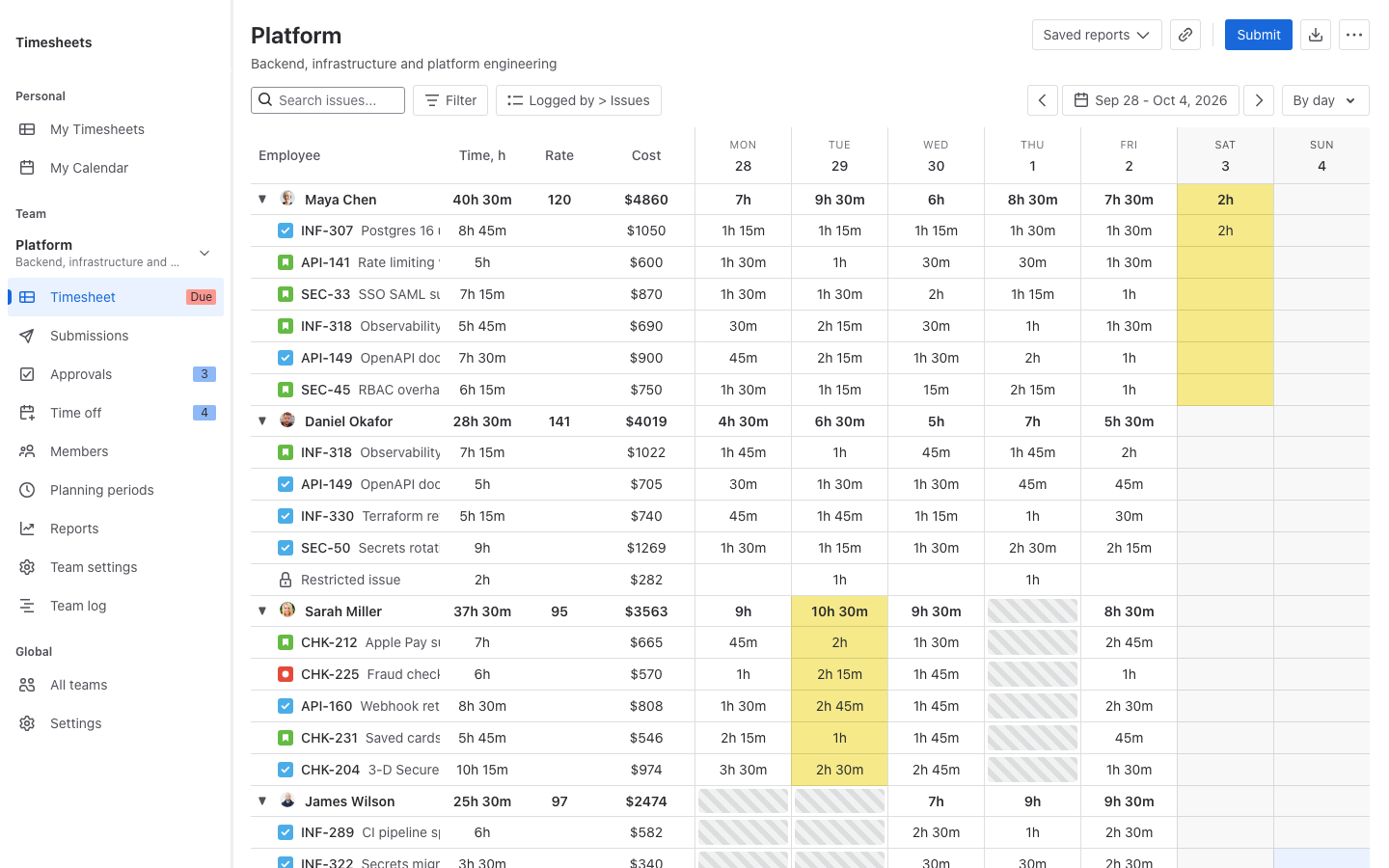
We build Timesheets for Jira, and it is free. It uses native Jira worklogs, nothing to migrate: the hours already on your site are the hours it reports. If you are looking for a free team worklog report in Jira to replace Gebsun's Team Reports, this is what you get:
- A team timesheet with a row per person and a column per day, with each person's issues underneath.
- Export to CSV, Excel and PDF, with reporter, assignee and worklog comment columns.
- Saved reports: set up a view once and open it again next month.
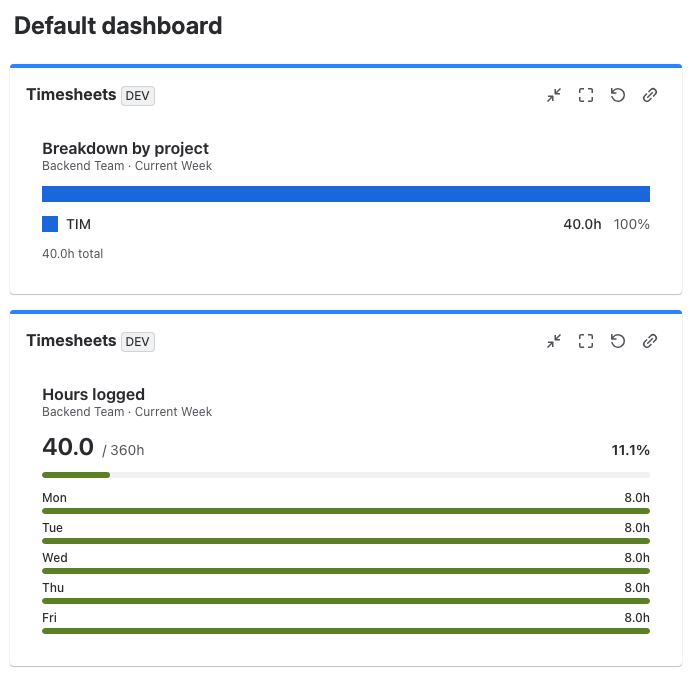
- A dashboard gadget for one team. It shows logged against expected hours with daily totals, compliance per member, or a breakdown by project, for this week, this month, or the current or previous timesheet period.
- Timesheet approvals, also free, if you want hours approved before anyone uses them.
To set it up:
- Install it from the Atlassian Marketplace. It becomes the site's time tracking provider, and its Log time dialog takes the place of Jira's Log work button.
- Create a team with the people who were in your old report. The team timesheet and the gadget both work per team.
- Open the team timesheet and save the view you used in the old report.
One limit: right after install, you see the last 90 days of worklogs. For older history, a Jira admin resyncs the team from the app's settings.
If you cannot install an app
Jira has no built-in report of hours per person per day. The closest you get is a saved filter shown in the Filter Results dashboard gadget:
worklogDate >= startOfMonth(-1) AND worklogDate < startOfMonth() AND worklogAuthor in membersOf("your-team-group")
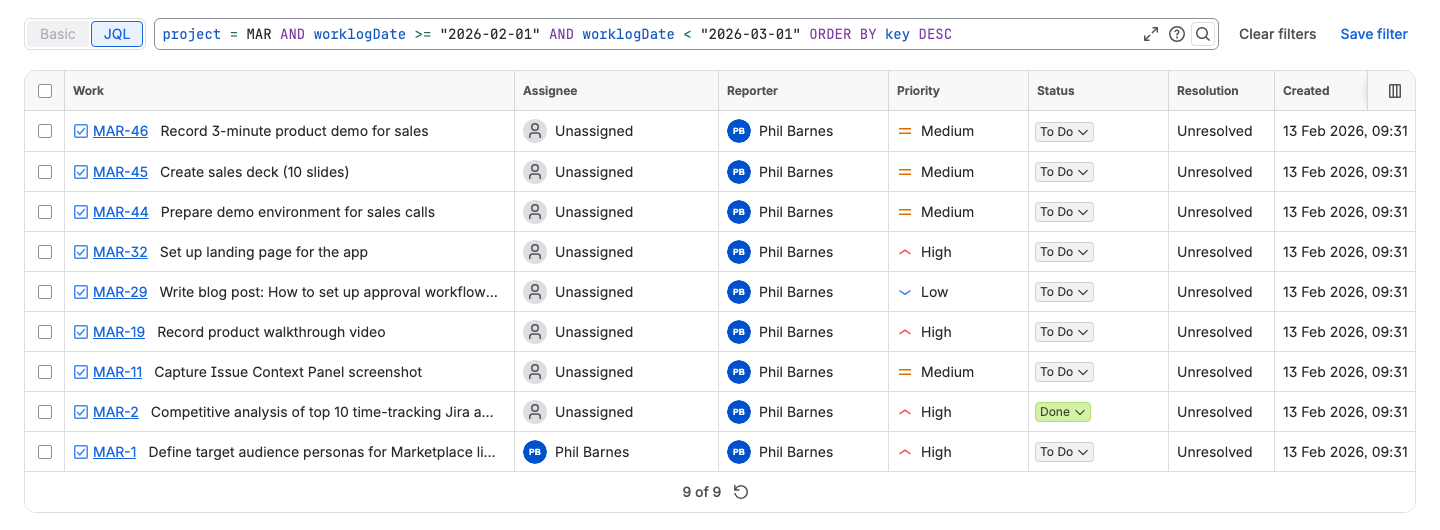
That gives you the issues your team worked on last month, not their hours. Issue search has no worklog author or worklog date column (JRACLOUD-85047). Time Spent is the issue total for everyone and every date (Atlassian docs): on our test site, one issue in a September search showed 303.5 hours of Time Spent, while its September worklogs added up to 23 hours. worklogDate also looks only at the most recent 1,000 worklogs on an issue (JQL fields), and in September it returned incomplete results for a while (Developer Community thread).
If someone on your team can script, the REST API returns individual worklogs with author, date and duration (Jira REST API docs), and you build the person-by-day table yourself every month. The CSV export and the Time Tracking report do not split hours by person and day either. All three routes are covered in Jira worklog reports and exporting a Jira timesheet to Excel.
What will not come back
Your worklogs stay in Jira. The Gebsun app layer does not:
- Saved reports and the settings inside them: projects, users, groups, period and hours format. Recreate the ones you still use as saved reports in the new tool.
- Links to Team Reports pages. Bookmarks, and links pasted into Confluence pages or emails, point to an app page that no longer loads. Replace them with links to the new report.
- Anything else configured inside the Gebsun apps. No other tool can read it.
Facts and links checked on October 8, 2026, against Jira Cloud, Atlassian's public documentation, the Atlassian Community and the current version of the app.